Building circles in Minecraft can feel challenging when you're working in a world made of square blocks. That's exactly why we created the MineCircles circle generator—a free tool that helps you create pixel-perfect circles, ovals, and other curved shapes for your builds. In this comprehensive guide, we'll walk you through every feature and setting so you can start building amazing circular structures right away.
Whether you're planning to construct a medieval tower, a modern fountain, an underwater dome, or intricate pixel art, understanding how to use our generator effectively will save you hours of frustration and help you achieve professional-looking results.
Getting Started with the Circle Generator
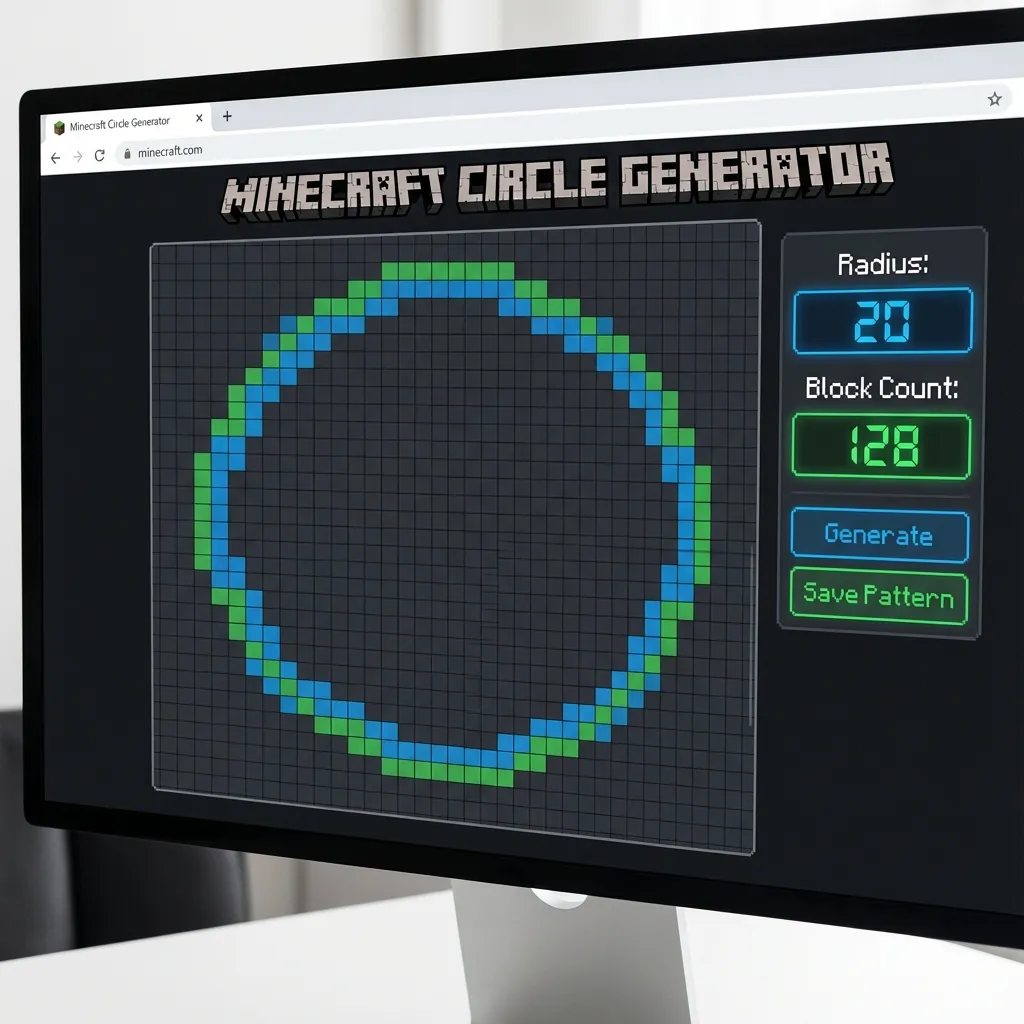
The MineCircles generator is completely free and works directly in your web browser. There's no download or installation required—just open the generator page and you're ready to go. The interface is designed to be intuitive, but understanding each feature will help you get the most out of the tool.
💡 Quick Start
For a basic circle, simply adjust the size slider to your desired diameter, and the generator will instantly display the pixel pattern you need. It's that simple!
Understanding the Interface
Let's break down each section of the generator so you understand what every control does and when to use it.
The Grid Display
The main area of the generator shows a grid where each cell represents one Minecraft block. Highlighted cells show where you need to place blocks to create your shape. You can hover over individual cells to see their coordinates, which is especially helpful for larger builds.
Shape Controls
The generator offers multiple shape options to suit different building needs:
| Shape | Best Used For | Description |
|---|---|---|
| Circle | Towers, wells, fountains | Perfect circles with equal width and height |
| Oval | Arenas, pools, stadiums | Elliptical shapes with independent width and height |
| Star | Decorations, pixel art | Star patterns with customizable points |
Step-by-Step: Creating Your First Circle
Open the Generator
Navigate to the MineCircles homepage where you'll find the circle generator tool. The interface loads instantly with a default circle ready for customization.
Set Your Circle Size
Use the width slider to set the diameter of your circle in blocks. For beginners, we recommend starting with a size between 10-20 blocks. This is large enough to see the circular shape clearly while remaining manageable to build.
The block count display shows exactly how many blocks you'll need—helpful for gathering materials in survival mode!
Choose Filled or Outline
Toggle the Filled option based on your needs:
- Filled OFF: Creates just the outline of the circle—perfect for towers, walls, and borders
- Filled ON: Creates a solid disc—ideal for floors, platforms, and bases
Adjust Thickness (Optional)
The Thickness slider controls how wide the outline is. This is especially useful when building walls or creating concentric rings. A thickness of 1 gives you a single block outline, while higher values create thicker walls.
Build in Minecraft
With your pattern generated, it's time to build! The easiest method is to:
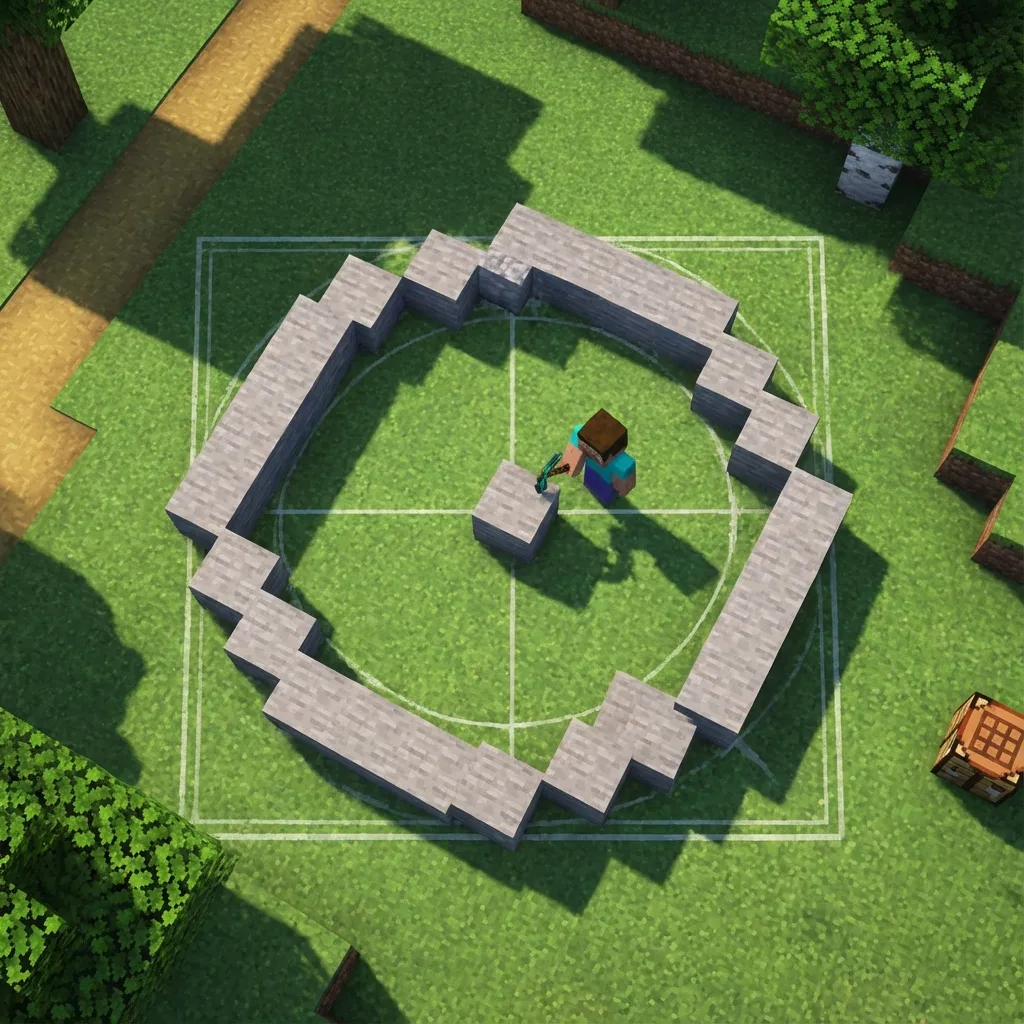
- Find the center of your build location in Minecraft
- Count blocks from the center outward, matching the pattern
- Work in quadrants—complete one quarter, then mirror it
Tip: Keep the generator open on a second screen or device while you build!
Advanced Settings Explained
Force Odd / Force Even
These options control whether your circle has an odd or even diameter. This matters more than you might think:
- Odd diameters (like 15, 21, 31) have a true center block, making it easier to center your build
- Even diameters (like 16, 20, 32) have a 2x2 center, which some builders prefer for symmetry
💡 Pro Tip
When building towers with a central spiral staircase, always use an odd diameter so you have a single center block for the staircase column.
Using the Download Feature
Click the Download PNG button to save your generated pattern as an image file. This is incredibly useful for:
- Printing as a physical reference sheet
- Sharing with friends or server members
- Planning large builds that span multiple play sessions
- Creating documentation for build tutorials
Common Use Cases
Building a Circular Tower
For towers, you'll typically want an outline circle (Filled OFF) with thickness of 1-2 blocks. Generate one circle and repeat the pattern for each floor. Most medieval towers look best with a diameter of 15-25 blocks.
Creating a Fountain Base
Fountains often use multiple concentric circles. Generate circles of decreasing sizes (e.g., 20, 14, 8) and stack them to create tiered levels. Use the Filled option for the water basin areas.
Making a Dome
Domes require multiple circles of progressively changing sizes stacked vertically. Check out our detailed guide on building spheres in Minecraft for the complete technique.
Stadium or Arena Seating
For stadiums, use the oval shape with independent width and height controls. Create several ovals of increasing size for the tiered seating rows.
Troubleshooting Common Issues
"My circle looks blocky"
All circles will appear somewhat blocky in Minecraft—that's the nature of a voxel game! However, larger circles appear smoother than smaller ones. If smoothness is important, try increasing your diameter. Circles under 10 blocks will always look quite angular.
"The pattern doesn't match my build"
Make sure you're counting from the correct starting position. Many builders start from a corner rather than the center, which throws off the whole build. Always establish your center point first.
"I need a shape between two sizes"
Unfortunately, pixel-based circles can only exist at integer sizes. There's no "15.5" diameter circle. However, you can sometimes achieve different visual effects by adjusting the thickness setting.
Next Steps
Now that you understand the basics, you're ready to tackle more ambitious projects! Here are some ideas to inspire your next build:
- Create a tiered wedding cake tower using progressively smaller circles
- Build an underwater glass dome base
- Design a hedge maze with circular pathways
- Construct a Roman-style coliseum using oval shapes
For more inspiration, check out our article on Top 10 Circle Build Ideas, and don't forget to explore our guide to the best dome building materials when planning your next project!
Ready to Build?
Start creating perfect circles for your Minecraft builds today.
Open Circle Generator